Video
Export video with telemetry
Create a short clip with sailing measurements for your debrief or to share.
iOS and Android app · Pro or Coach
Where to start
iOS/Android app → activity share menu → Share Video.
Select the clip
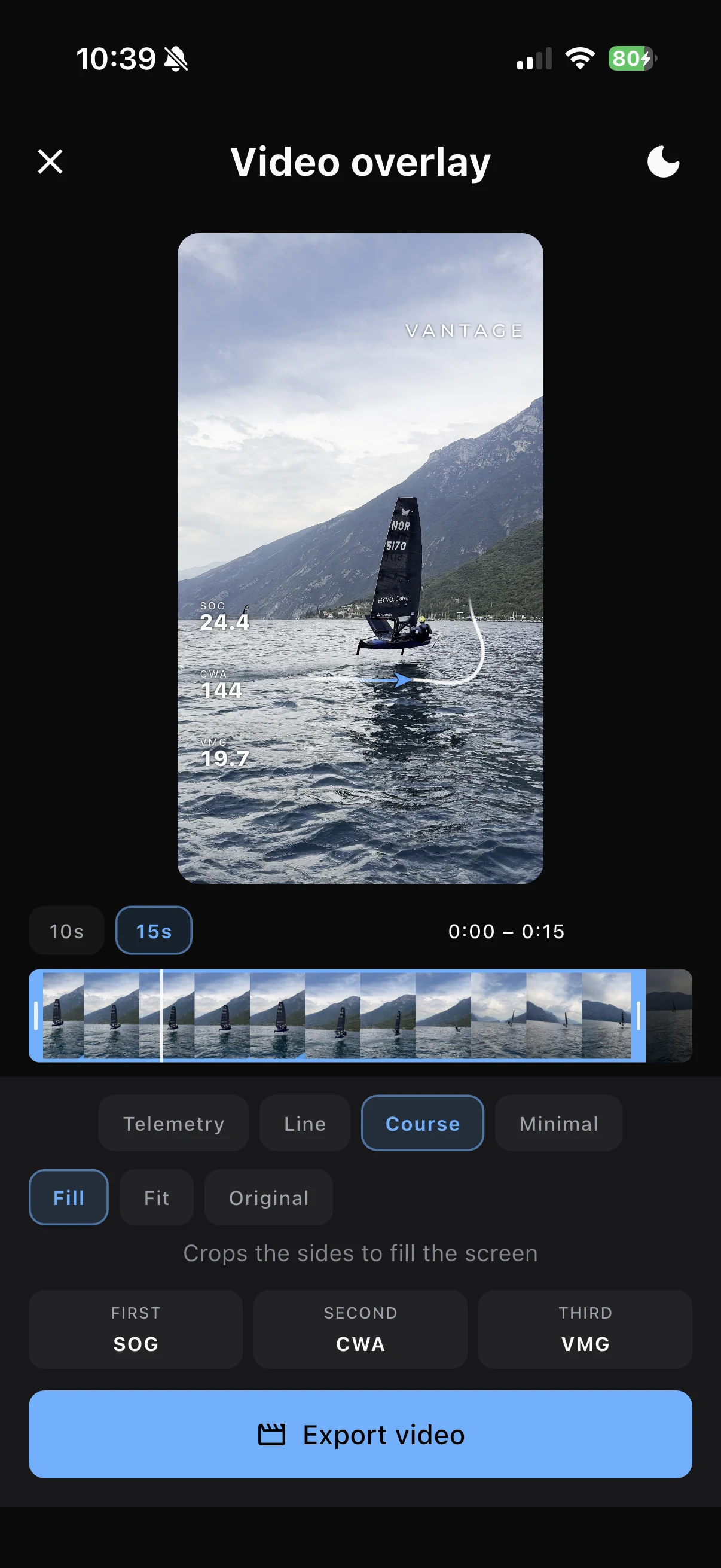
In Video overlay, choose footage aligned with the activity. Use Sync clip time if prompted.
Trim the moment
Choose a 10, 15, 30 or 60 second preset, then adjust the handles to include the approach and outcome.
Set the frame
Choose Fill for a vertical crop, Fit to show the complete source inside a vertical frame, or Original to keep the source aspect ratio.
Check the preview after changing the frame so the boat and important movement remain visible.
Choose the overlay
Select Telemetry, Line, Course or Minimal. Choose the available measurements you want to show, then a light or dark appearance.
Keep the numbers readable without covering the part of the footage you want to discuss.
Export
Select Export video. Cloud footage may download first, followed by encoding. When finished, use the device share options.
If export cannot start
Use the native iOS or Android app; export is not available on the web. Check that the source clip is available, aligned and overlaps the selected interval, and that the device has space for the output.