Replay and analysis
Compare sailors and sessions
Use simultaneous sailing to compare decisions, or earlier sessions to review progress.
iOS, Android and web · Pro or Coach
Where to start
Replay → Compare with others, or Advanced Analysis → Compare.
Choose the comparison
For sailors who were on the water together, use Compare with others in replay or the Sailors tab in Advanced Analysis.
For sessions from different days, open Advanced Analysis → Compare → Past activities. Replay comparison requires overlapping times.
Select the activities
Add relevant sessions, up to five in total including the original. Use names and colors to identify each track or chart series.
Keep the scope consistent
Choose the relevant sailing mode and filters. Compare similar conditions and intervals, then check equipment, trim and notes for other differences.
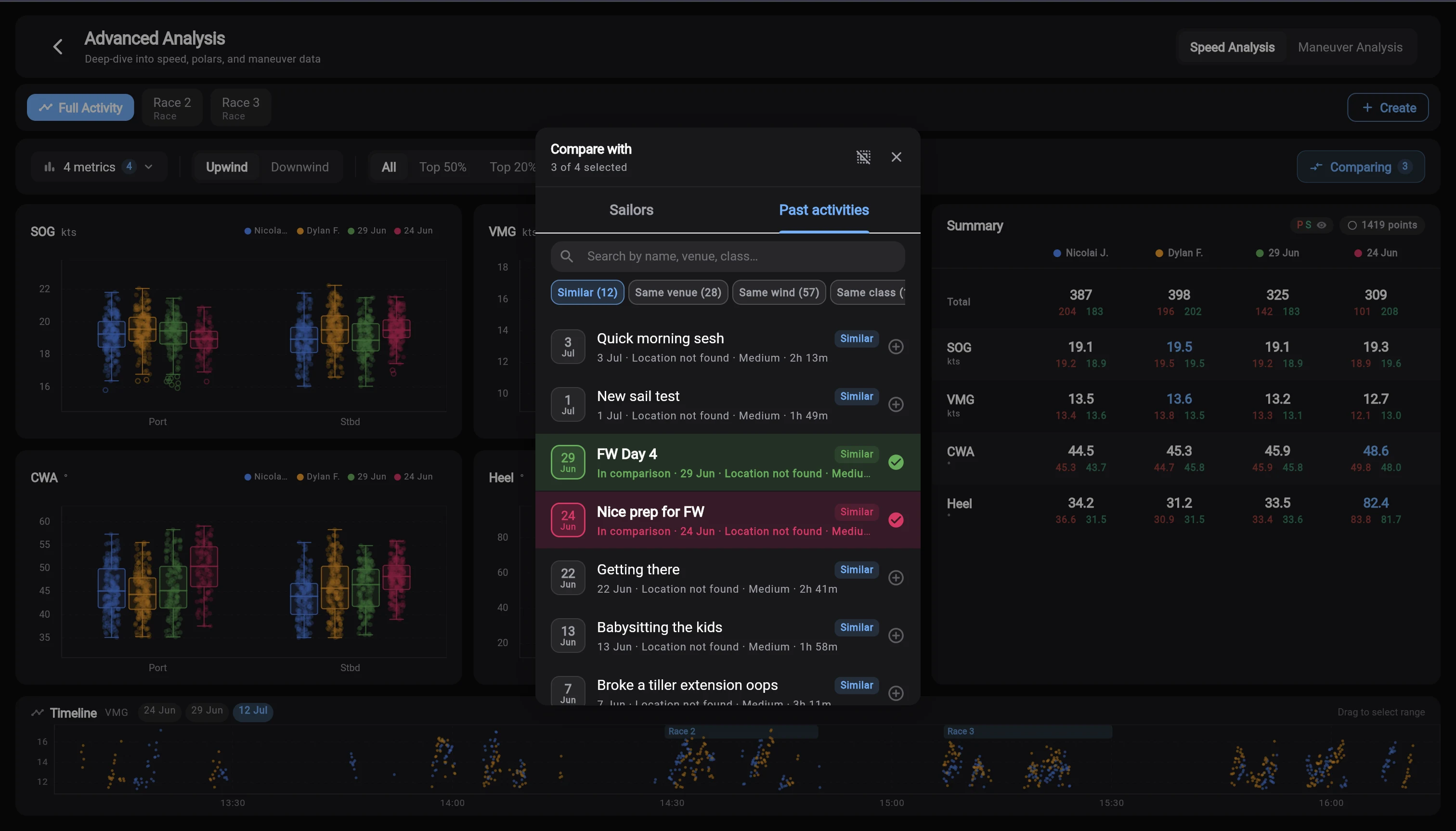
Finding a past session
The Past activities filters help narrow the list before you select a recording.
Use Past activities for historical comparisons. The separate Trends dashboard is not yet available.
- Similar matches the venue name and wind-strength category. Check the boat class and actual conditions yourself.
- Same venue, Same wind and Same class each narrow the list using that one attribute. All shows the wider candidate list.
- Coaches can use All athletes where offered to include other sailors they can access.
Why another sailor is missing
Check that their activity is uploaded, your connection or team membership is accepted, and visibility permits comparison. Same-session replay also requires time overlap. Stealth Mode blocks cross-owner comparison.
Do not shift an unrelated session’s clock to make it appear simultaneous. Use Past activities instead.