Our biggest update to date has been released. With major improvements in how customizable your analysis is, new visualizations, metrics and analysis tools, a new trim logger, and a more detailed trend analysis, we can't wait for you to experience it. Let's break down what's new.
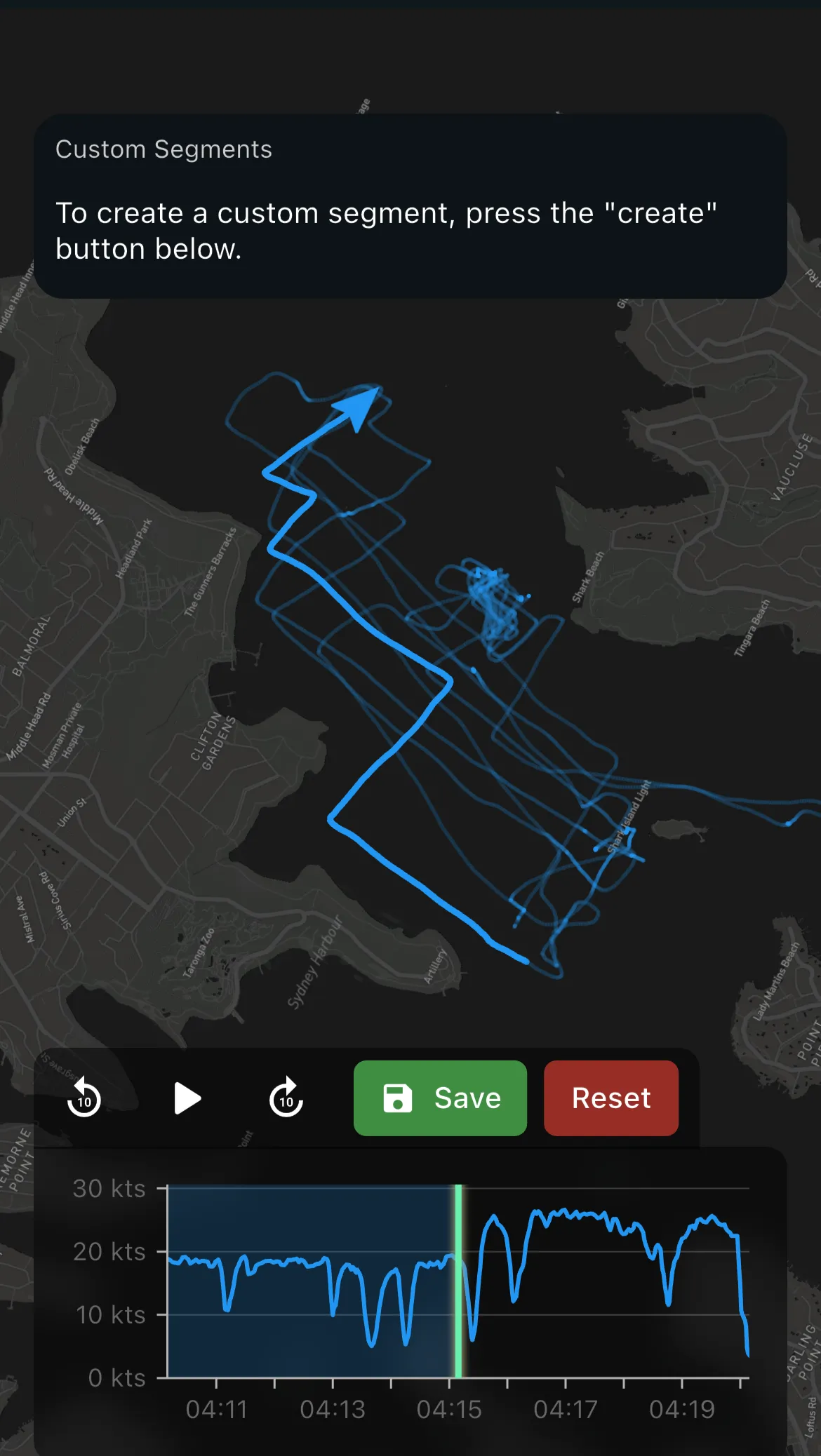
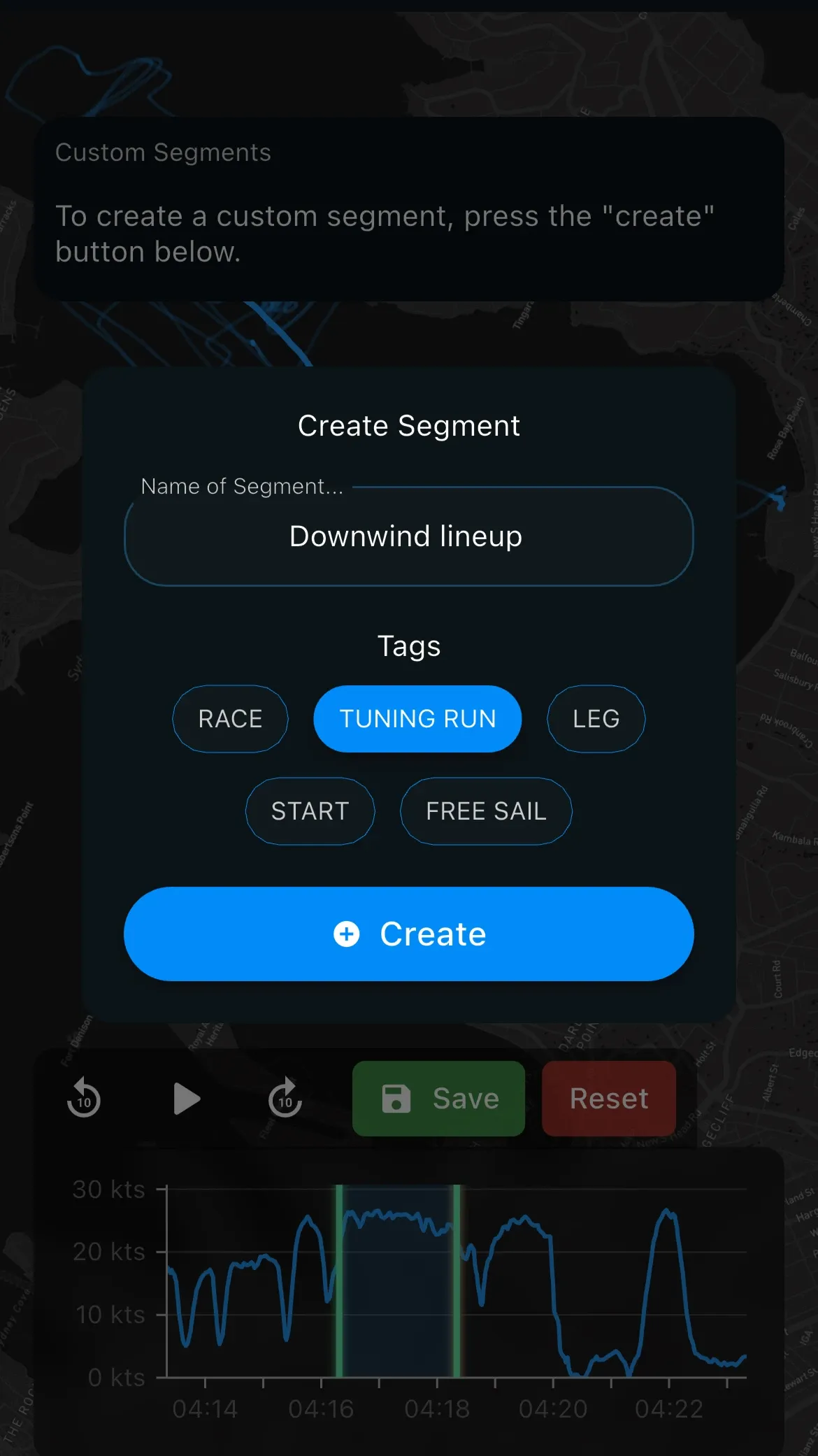
Custom Segments in the Leg Replay
Instead of analyzing an entire leg, you can now create your own subsections of an activity within the Leg Analysis. We are giving you control over what data goes into the analysis. Go into as much detail as you like and analyze only the parts you want to include. Use it to analyze lineups, races, or any section of your session you would like to.
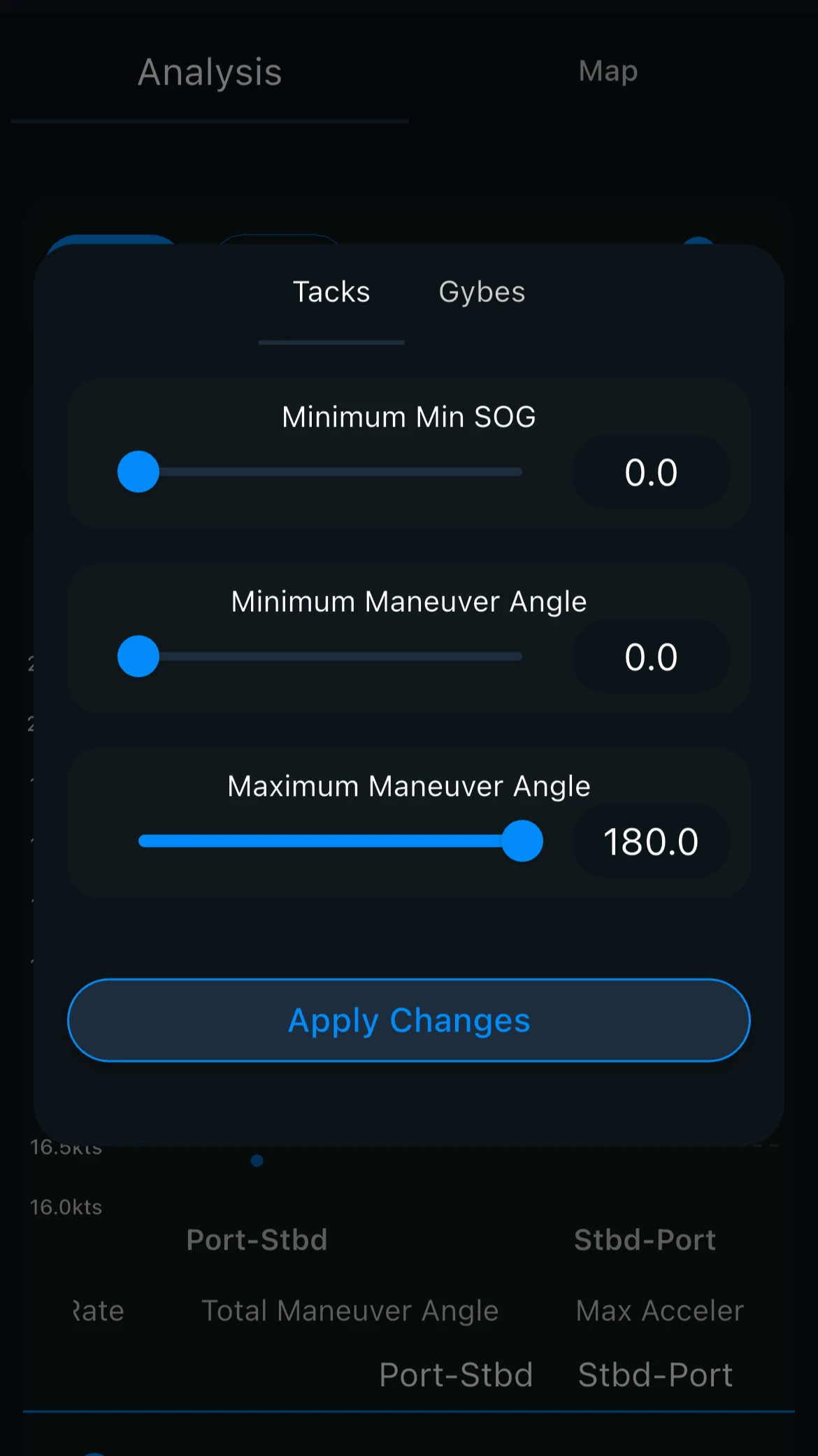
Customizability in Filtering Performance & Analysis Filters
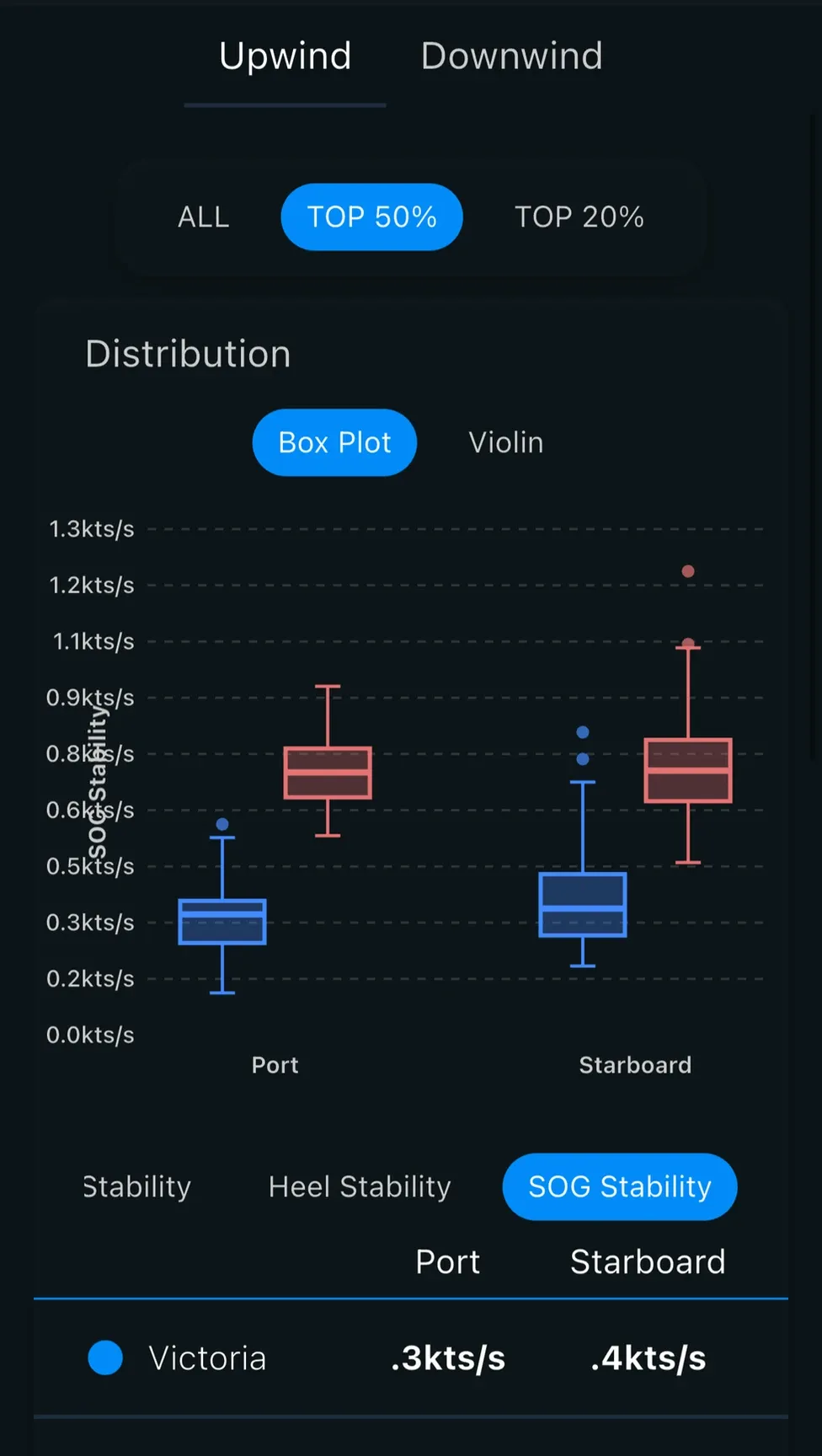
Filter by level of performance instead of analyzing your entire session. Vantage can now zone in on your top 50% or top 20% for speed and maneuver analysis. Use this feature to focus on your best moments of a session, rather than every run.
With the new Analysis Filters, you can also be more specific about the types of maneuvers you're analyzing.
New Visualizations & Metrics to Improve Sailing Performance Analysis
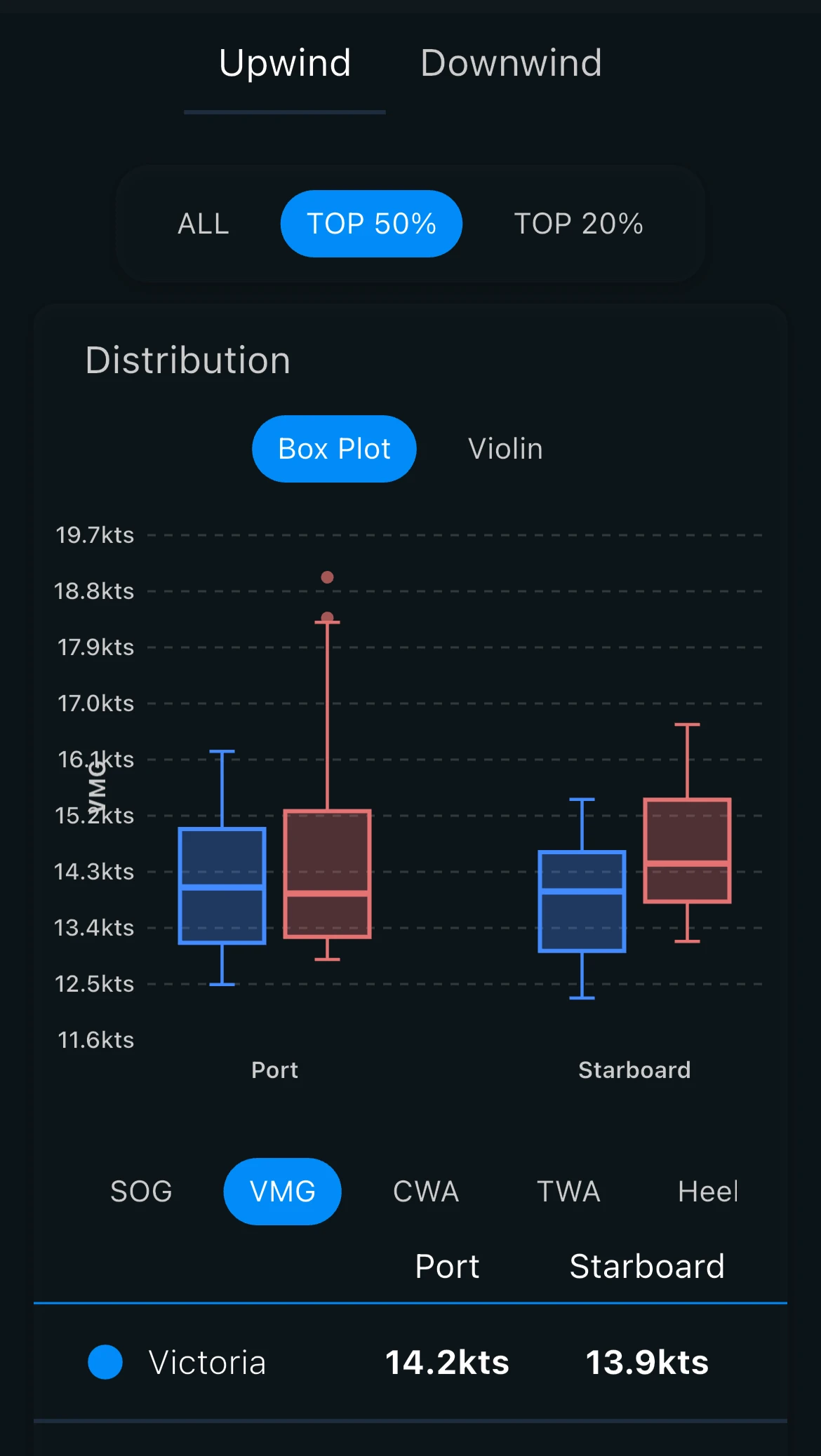
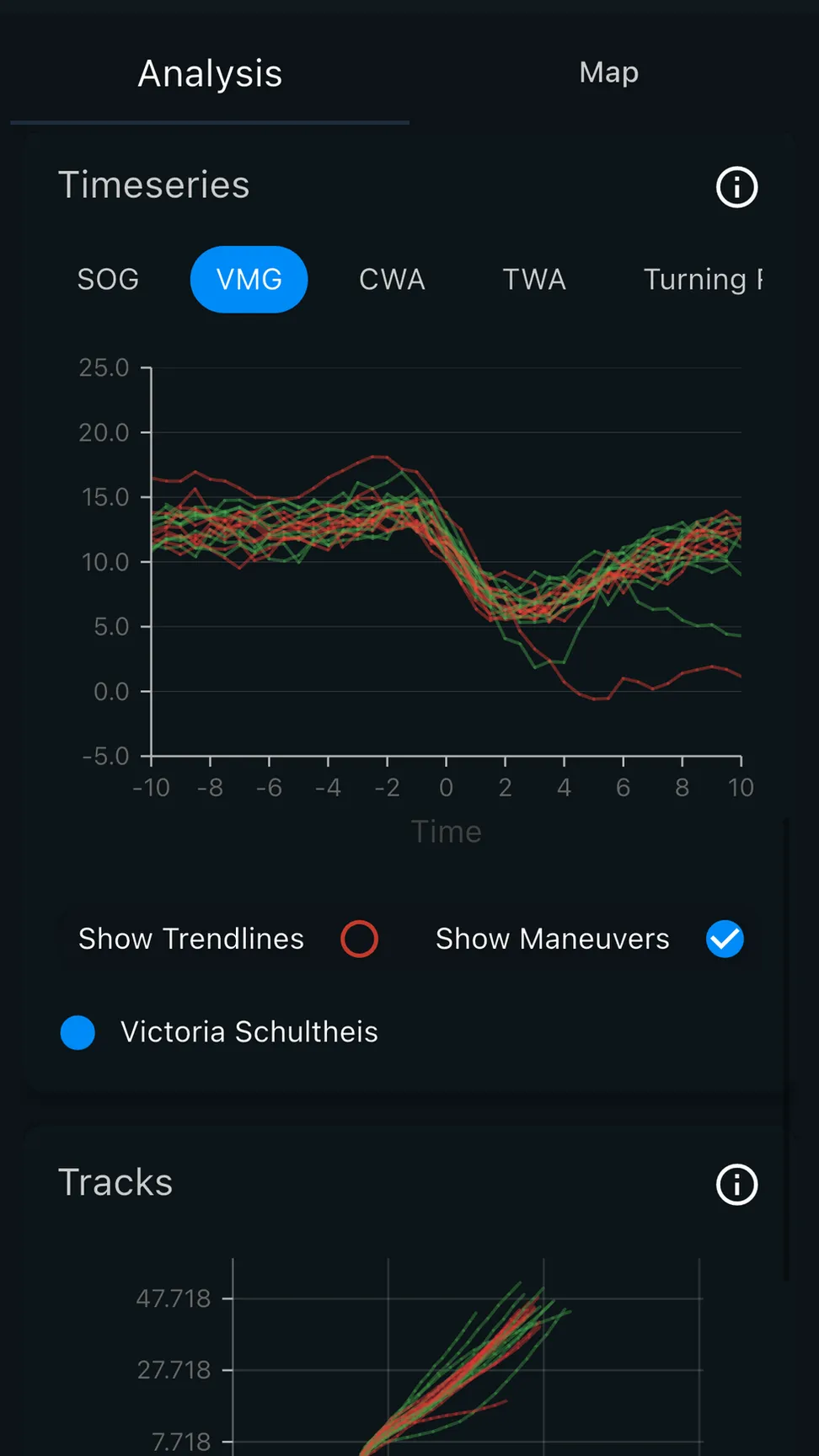
Clearer visuals with improved charts and new plots for more insights. We have included Box Plots to better visualize the range of metrics, Timeseries charts to analyze all your maneuvers, and have included lots of new metrics, including Steering Stability, Heel Stability, SOG Stability, Pitch and CWA.
What is CWA?
CWA stands for Course Wind Angle. Course Wind Angle is the same as TWA, but uses COG instead of heading as the angle. This means that instead of relying on the device's magnetic compass, which is more at risk of misalignment and interference, COG uses the device's GPS position.
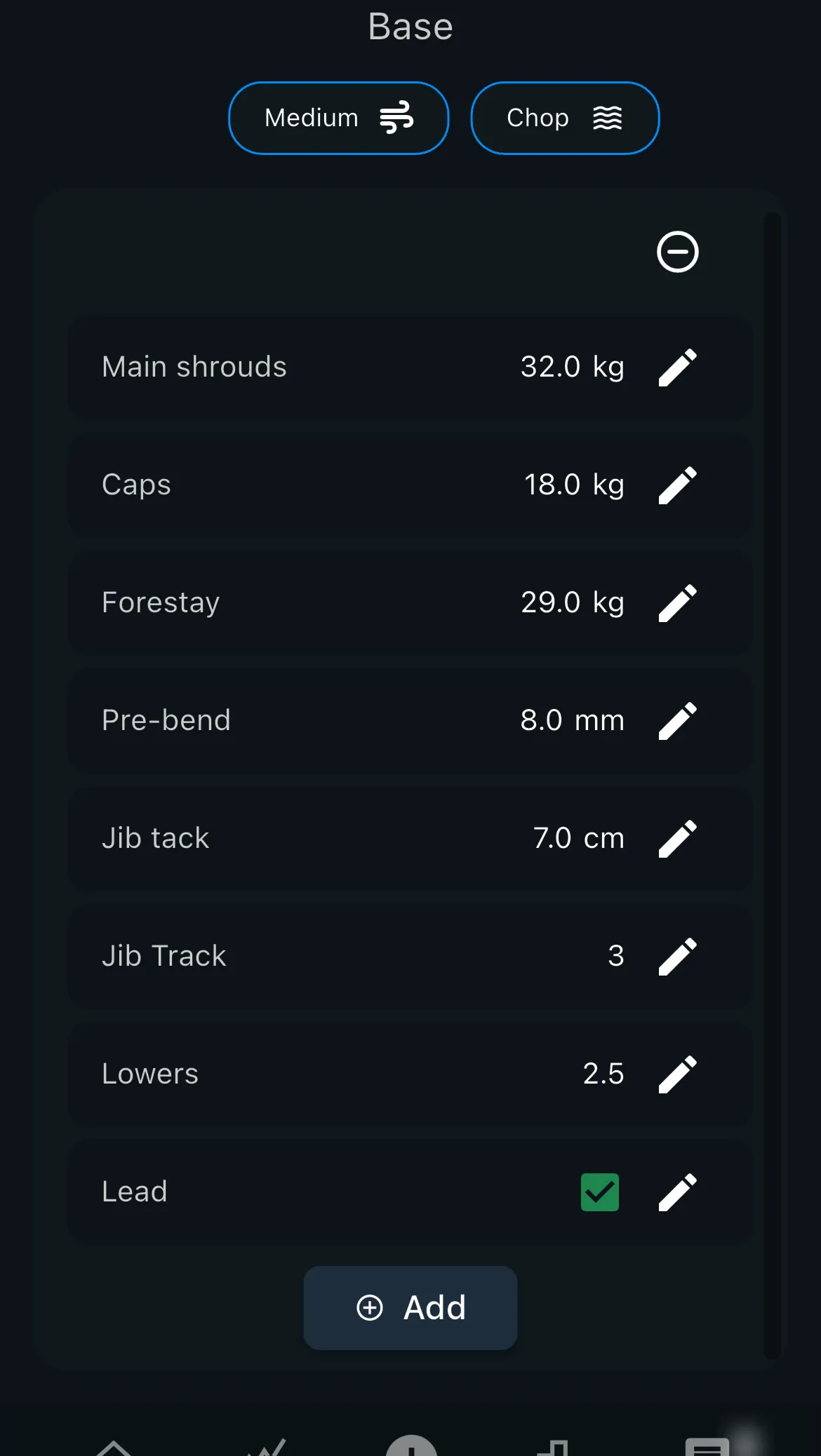
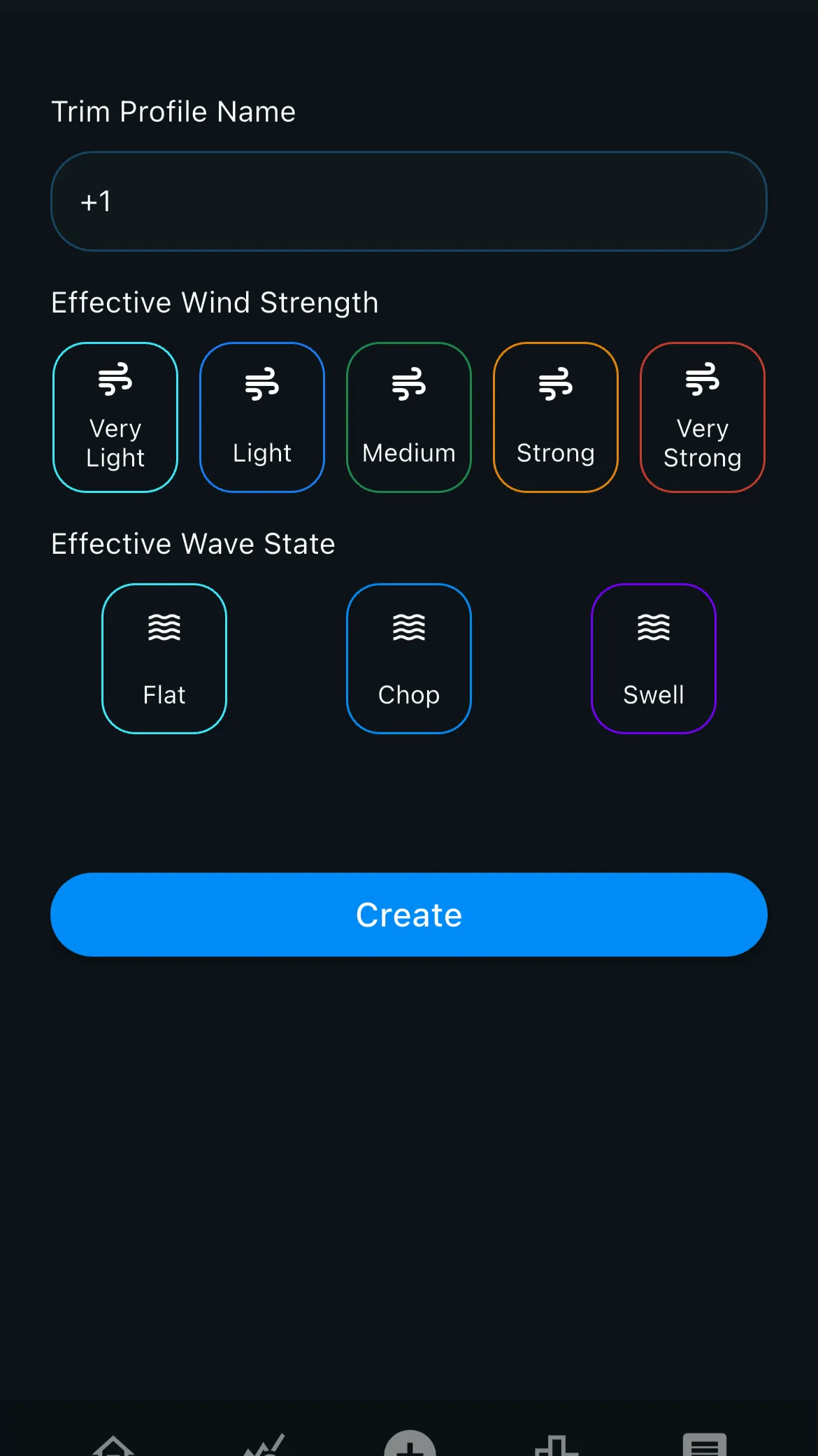
Trim Profiles for Faster Trim Logging
The new Vantage Trim Logger revolutionizes how quickly you can log your settings within the app. Instead of logging the same setups for every session manually, you can now load set trim profiles into a session. The process is faster and easier than ever. As they have always been, your trim is not visible to anyone and remains private.
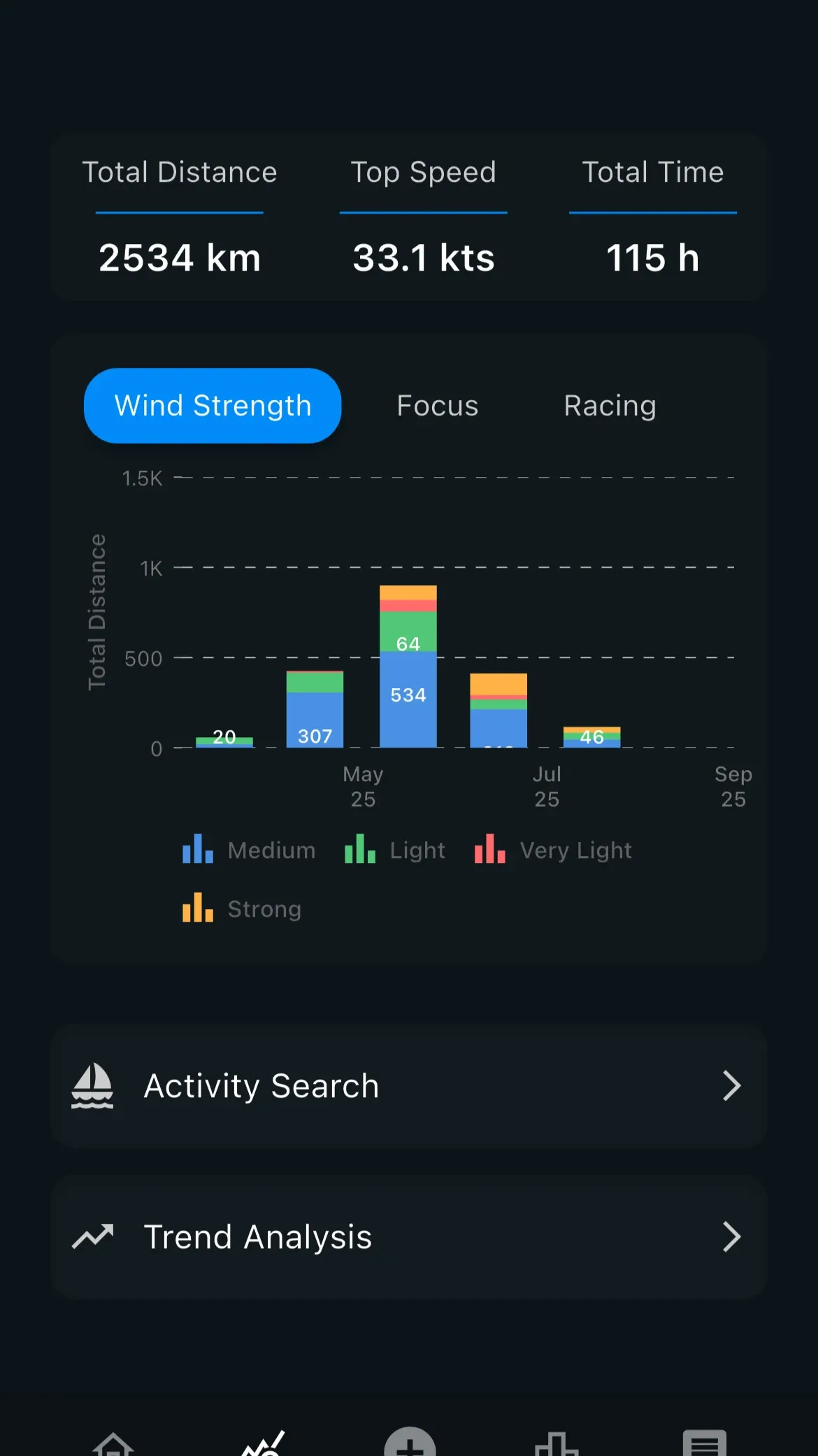
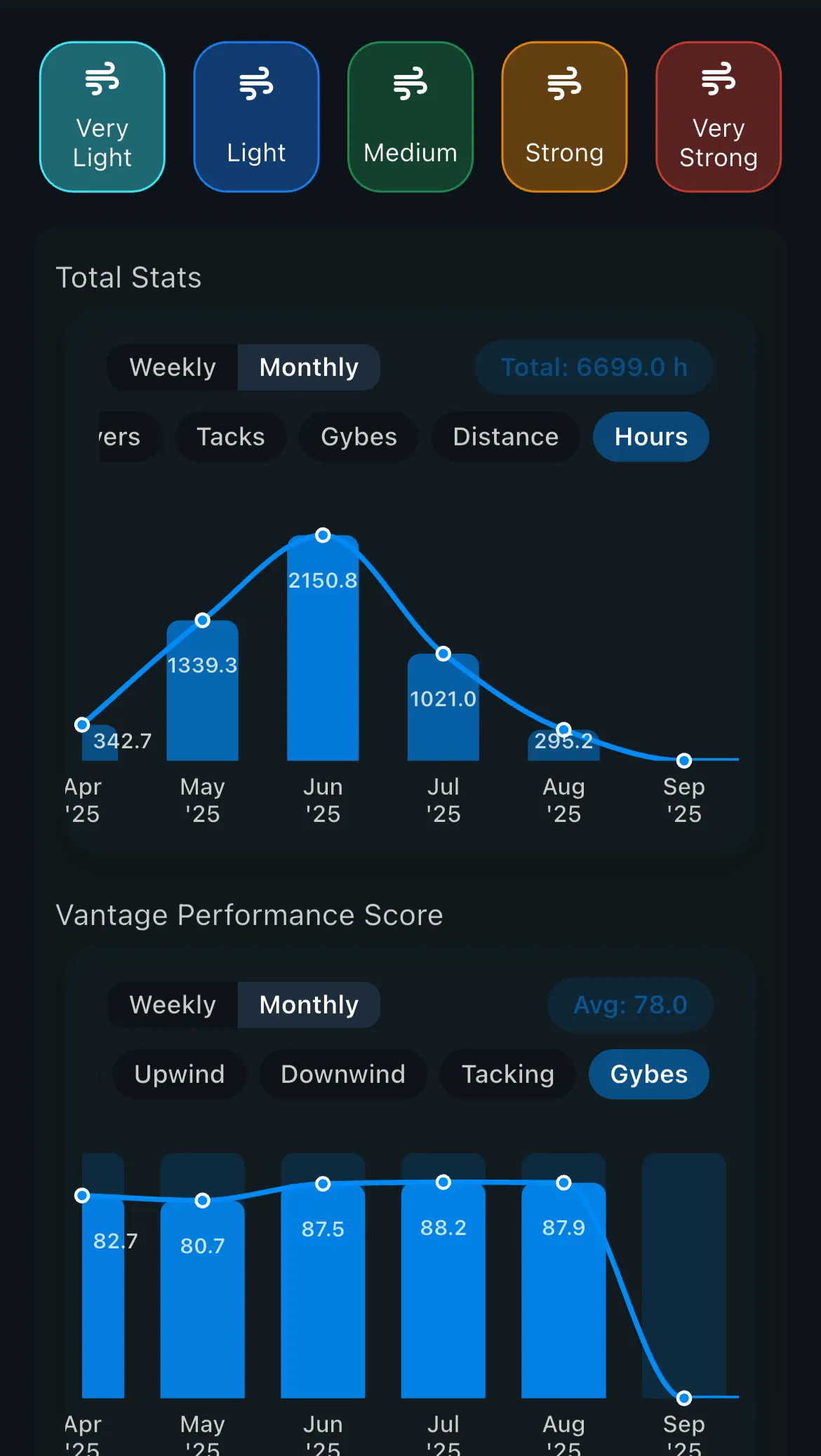
Trend Analysis
Our revamped trend analysis will give you a clearer breakdown of your progress over the past weeks and months. Review what you have spent your time on during the past weeks, grouped by the type of conditions or the focus of your sessions. See how your Vantage Performance Score has improved over time in each category.
Compare to More Boats at the Same Time
Instead of comparing your track to only 2 connections at a time, you can now compare up to 3 connections on the mobile app and up to 8 connections on the Desktop version.
Transition Process
Behind the scenes, we have significantly improved how activities are stored, allowing for more advanced analysis. This means that the transition period in the next few weeks will be more tricky compared to usual updates. Activities that were uploaded to previous versions of Vantage may not be updated and available to view with the new analysis features within the next few weeks. All activities will eventually be transferred to 2.0.
Be sure to note that Garmin Auto uploads will from now on only work for Vantage 2.0, so make sure to update the app.
Thank You
We're so excited to hear how this update shapes your sessions and transforms your sailing performance analysis workflows!